not.bot Sign My Work

AI can fake anything. Prove what your organization published.

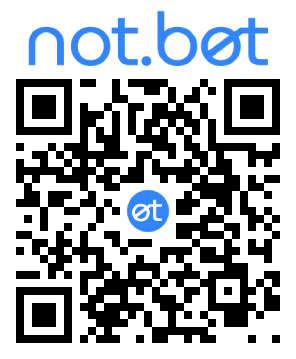
not.bot™ Sign My Work signs the video, images, PDFs, and links your organization publishes, at the pace you publish them. The signature is a QR code in the pixels themselves, so your proof survives reposting and re-compression, and it still scans off a printed page. Anyone can check it with the free not.bot app, no account needed.

Your protection starts with your first signature, and every fake in your name gets easier to dismiss.

Coming end of August 2026

Valuable even if you’re the only one signing.

A signature proves where a piece of content came from, and it works the moment you create it. When your audience learns that everything you publish carries a signature, they can spot a fake without waiting for you to denounce it. Signing is deepfake insurance. You hope you never need it, and if a fake does appear, it limits the damage by making the fake obvious.

Verifying signaturesPermalink to Verifying signatures

Verify signatures by comparing to the original.

You upload the unsigned original to Sign My Work, and a verified human signs it from their phone. Sign My Work stores that original encrypted at a permanent address, and the signature carries the location, a fingerprint of the content, and the key that opens it. The result is a QR code valid for that content and nothing else, carrying the Verified Signer badge your audience reads.

  1. Wherever your signed content goes, the embedded signature goes with it. Viewers can tell that it includes a signature they can check.

  2. The free not.bot app checks that the signature is valid, then offers the original for viewing.

  3. The app downloads the original, decrypts it on your phone, and shows it so you can compare.

Someone can paste your QR code onto content you never made, but they cannot change the original it points to. The mismatch is what gives them away, and anyone who scans can see it. See how a signature works

Why signPermalink to Why sign

Sign before you need it.

You cannot detect a deepfake and you cannot stop one from being made. Real creators use AI too, and a good fake looks like the real thing. What you can do is make sure that on the day one appears, your audience can tell. Every piece you sign is a timestamped, passport-backed record of what you published. When a fake circulates in your name, you do not argue. Anyone who needs the truth, from a journalist to your board to a platform’s trust team, checks your signature in seconds with the free not.bot app.

Reject a deepfake without telling people it exists.

When you don’t sign your content and a convincing deepfake comes out, you have two options: make a public announcement about the deepfake and raise its visibility, or ignore it and give it credibility. When you sign your real content, you can simply remind your followers that all your real content is signed, and anything unsigned or incorrectly signed is fake.

Make the next fake easy to spot.

When your audience expects a signature on everything you publish, anything in your name without one stands out. The more of your real output you sign, the sharper that contrast gets.

A signature that stays with the content it signs.

Platforms strip hidden metadata the moment you upload. A visible signature (patent pending) is part of what they display, so it cannot be stripped. It also does something metadata never can: it tells your audience a check is available, and invites them to make it.

What you can signPermalink to What you can sign

Four kinds of content. Four things to protect.

Every type you publish gains something different from a signature, and all four verify the same way, with the free not.bot app.

Video

A cloned executive announcement moves a stock; a hijacked celebrity sells a scam. Sign your real video and the fake has something to be measured against. Your caption rides inside the signature, so one signature covers the video and the words you posted with it. Up to 75 minutes or 16 GB.

Images

AI turns an athlete’s or celebrity’s likeness into an endorsement for free. Protect your digital likeness licensing revenue by signing officially licensed endorsements.

PDFs and documents

Sign contracts, reports, announcements, and pitch decks with a signature anyone can verify. Your name stays out of the signature unless you choose to add it. A printed copy stays verifiable, which an embedded e-signature cannot offer.

How it worksPermalink to How it works

Quick enough to sign every time.

If signing gets in your way, it stops happening. Sign My Work makes it the last step before you publish: produce, approve, sign, post. A video takes about seven taps and one confirmation on your phone.

  1. Upload your finished content from a browser, or from the Sign My Work icon on your phone’s home screen. Sign My Work encrypts it before storing it, and you type the caption while the upload runs.

  2. A signature request arrives on your phone as a notification. Tap it, check what a verifier will see, then confirm with Face ID, Touch ID, or a passcode.

  3. Sign My Work renders the signature into your content, or hands you the bare QR to place yourself. Download it for any platform, scheduler, ads manager, or print shop, or publish straight to your own Instagram account.

No passwords, for anyone. Sign My Work doesn’t use passwords, so there is nothing to phish, leak, or reset. Your alias is your login: tap “continue as,” confirm on your phone, and you’re in.

What your signature saysPermalink to What your signature says

Your badge is what your audience reads.

Organizations don’t sign. Their people do, and the badge on each signature tells your audience who they were signing for. What a badge can say depends on your plan, because the plan sets how much of your web presence Julia Social checks before issuing it.

Your account

Basic and Pro. Post your alias to your social account and Julia Social verifies it, then issues a badge for that account: “@yourhandle at instagram.com.”

Your role

Team. Everything above, plus badges on your own site. Post your alias next to the role you choose, Julia Social checks the posting and issues that role: “Editor at dailyherald.com.” The person stays anonymous and the signer is the role.

Your domain

Corporate and Enterprise. Prove you control your domain once with a DNS TXT record. After that your Admin assigns badges directly, any name at your domain. No per-signer review, nothing posted publicly.

Every organizational signature means the same thing: a human authorized to sign for this organization signed this. It is not a claim that a named executive typed the words. When a campaign staffer signs under “Joe Candidate at joecampaign.org,” verifiers see content the campaign authorized, which is what a press release has always been, now checkable.

Sign under a work alias. Every signature comes from an alias you choose. Set one aside for signing on behalf of an organization and it carries the badge your audience reads, so signing at work doesn’t expose your other aliases. One person can hold several work aliases and picks the right one for each piece. Your name appears in a signature only if you choose to add it.

Built by Julia SocialPermalink to Built by Julia Social

We store your encrypted content. We don’t have the key.

Sign My Work is hosted, so teams and companies can start signing without an IT project. Enterprise Sign My Work runs in your own infrastructure, so your content stays under your control. Everything below follows from the architecture of Sign My Work.

A human signs every item.

not.bot Sign My Work holds no signing keys and signs nothing for you. Every signature is one verified human, on their own device. There is no setting, no key, and no support request that can produce a signature without a person.

A breach opens nothing.

If someone took everything we store, they could not open any of it. Your content is encrypted with a key we don’t keep, because the key lives in the signature and the signature is yours. We don’t keep copies of your signatures.

Your proof outlives your plan.

We store your originals for good, paid for at the moment you sign. Cancel your plan and everything you already signed still checks out.

Built for the audit.

Void a signature and it shows as voided, with the record intact. Delete one and a record that it existed stays in the audit trail. Export your whole signing history to CSV or JSON for the SOC 2, HIPAA, or SOX conversation.

not.bot Sign My Work’s own backend runs on not.bot Verify.

PricingPermalink to Pricing

One subscription. Predictable billing.

Every plan is the same Sign My Work, verified through the same free app. Plans differ in how many signers you get, how much you can sign each month, and what your badge can say. There is no metering: if you outgrow a plan you move up, and no one on your team can run up a bill.

Basic

For an individual creator signing their own work.

$14.99/ month

  • Or $149.99 a year
  • 1 signer
  • 60 signatures a month
  • 60 minutes of video a month
  • Social account badges
  • Standard support (email, next business day)
Coming soon

Pro

For a creator whose content is produced by a small crew.

$39.99/ month

  • Or $399 a year
  • 3 signers
  • 150 signatures a month
  • 300 minutes of video a month
  • Social account badges
  • Standard support (email, next business day)
Coming soon

Corporate

For larger organizations that assign their own badges.

Let’s talk

  • Seats and allowances to fit
  • Badges at your verified domain, assigned by your Admin
  • API access
  • Priority support
  • Opens after the August launch
Book a call · soon

Enterprise: run it yourself. Enterprise Sign My Work deploys on your own not.bot Verify installation, so your content never leaves your infrastructure and your own retention policy decides how long it stays verifiable. Badges work the same way as Corporate, API access is included, and verification is identical for the public. Enterprise follows the API on our roadmap. Talk to us about it

Signatures and video minutes pool across your organization, and any signer can use them; a signed video draws on both. A signer is one not.bot alias, not one person, so one human can sign under several aliases. Each signer enrolls once with a passport in the free not.bot app; the people who verify your content never enroll. Admin accounts are free, in any number. Checkout opens when not.bot Sign My Work launches at the end of August 2026.

For platformsPermalink to For platforms

Signing, inside your own product.

Keep your customers in your app experience when creating not.bot signatures. Your backend uploads the content and names the signer, the request arrives on that person’s phone, they review and confirm, and your system gets the signature back. Signers never open Sign My Work at all.

A human still signs every item. The API stages content and delivers the request. It never produces a signature, and no API key can. That rule doesn’t bend for automation, because it is the reason a signature means anything.

  • An accounting platform

    CPAs sign the financial statements they reviewed without leaving the platform. The platform calls the API, the CPA’s phone lights up, and two taps later the platform holds a signature it can stamp onto its own PDF.

  • A marketplace

    Sellers sign their listings and buyers sign statements of intent, before either side sees anything sensitive.

Available on Corporate and Enterprise, both of which open after the August launch. Talk to us about the API

Questions, answeredPermalink to Questions, answered

Frequently asked questions.

What can I sign?

Video, images, PDFs, and links. A single video can run up to 75 minutes or 16 GB. Your plan sets how many signatures and how many video minutes you get each month, and both pool across your organization. Every distinct piece gets its own signature.

Can I sign a text post?

Sign My Work signs video, images, PDFs, and links. To sign a plain text post, use the free not.bot app, which does it in a few taps. Sign My Work is for the content you publish at volume.

How does billing work?

You pay one subscription for your organization, monthly or annually depending on the plan. Each plan includes a number of signers, a monthly signature allowance, and a monthly video allowance. There is no metering and no overage: if you run out, you move up a plan. Admin accounts are free.

Can the signature be stripped out of my content?

No. It is a visible code rendered into what platforms display, not hidden metadata they strip on upload. It travels with the content through re-posting and re-compression, and it still scans after the content is printed onto paper.

Who can verify a signature, and do they need an account?

Anyone, with the free not.bot app, and no account of any kind. Anyone scanning a signature that doesn’t have the app will be prompted to download the app to verify the signature.

How does publishing to Instagram work?

Through Instagram’s API and your own account authorization. You connect your account once over standard OAuth, and we keep the token encrypted in a key vault separate from our database. Your credentials, your account, your audience: the signature comes along. You can revoke our access at Instagram whenever you want.

What happens to my signed content if I close my account?

It stays verifiable. Storage is perpetual and paid at the moment you sign. Cancel your plan, and everything you already signed keeps checking out.

What happens if I delete something?

Only an Admin can delete. The signature stops verifying immediately, so a scan shows no signer and no organization. You have 90 days to restore it; after that the original is purged for good and only an audit record remains. If you want a signature repudiated but the record kept, void it instead.

Can not.bot read what I upload?

No. Your originals are stored encrypted, and we don’t keep the key: it rides inside the signature, which is yours. We don’t keep copies of your signatures either. If someone took everything we store, they would have no way to open any of it.

What does a not.bot signature claim?

That a human authorized to sign for your organization signed this piece. It is not necessarily a claim of personal authorship. A staffer signing under “Joe Candidate at example.org” produces a press release you can check.

Is a signer a person?

No. A signer is one unique not.bot alias. One human can hold several aliases and sign under each, so you count signers by alias, not by head.

When can I buy it?

not.bot Sign My Work is targeted for the end of August 2026. Basic, Pro, and Team open then, with Corporate and Enterprise following. Until then the plans are marked coming soon.

Do my signers need a passport?

Yes. Each signer enrolls once in the free not.bot app by scanning a passport, which proves they are a real, unique human without revealing who they are. Enrollment takes a U.S. passport today, with wider coverage and in-person enrollment planned. Anyone who verifies your signed content needs only the free app — no passport, no account.

What do I need to be able to sign?

The not.bot app on iOS or Android with a passport-enrolled identity, and a browser. Mobile signing works best as the installed web app. To verify, your audience needs only the free app.
Make authentic the default.

Sign what you publish, so a fake has nowhere to hide. Your protection compounds: as signing spreads, unsigned will be presumed fake everywhere, and yours starts with your first signature. not.bot Sign My Work arrives at the end of August 2026.

See plans